Amplifiers
Amplifiers
Section titled “Amplifiers”Aethis features three distinct amplifier models, each captured using Neural Amp Modeler (NAM) technology. Switch between amps instantly with no loading time, and each amp remembers its own settings independently.
Rosaria
Section titled “Rosaria”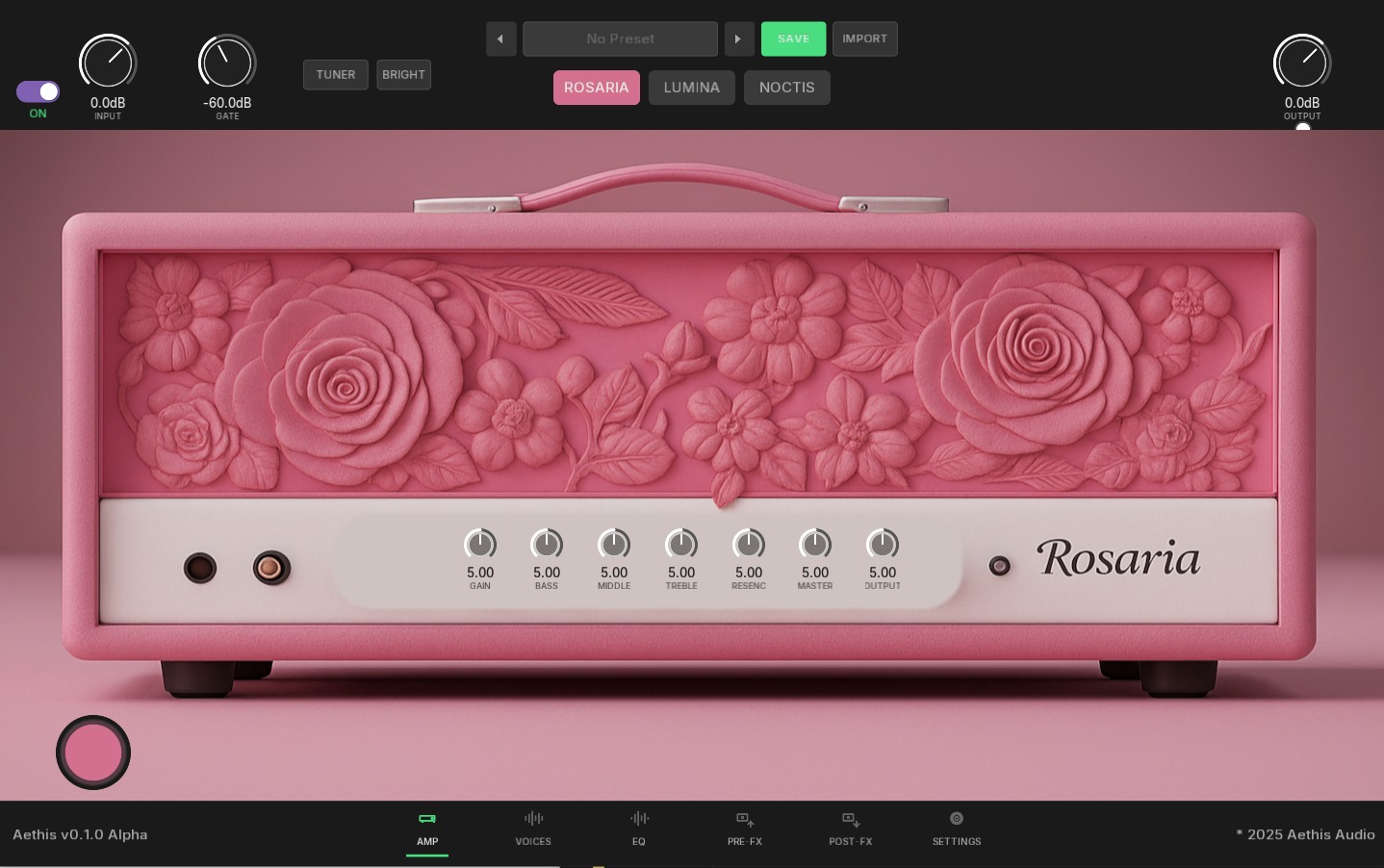
A warm, versatile amplifier with a pronounced mid-range character. Rosaria delivers everything from sparkling cleans to creamy overdrive, making it the go-to choice for blues, classic rock, and expressive lead work.
Character: Warm mids, smooth breakup, dynamic response
Best for: Blues, classic rock, country, jazz fusion, expressive leads
Lumina
Section titled “Lumina”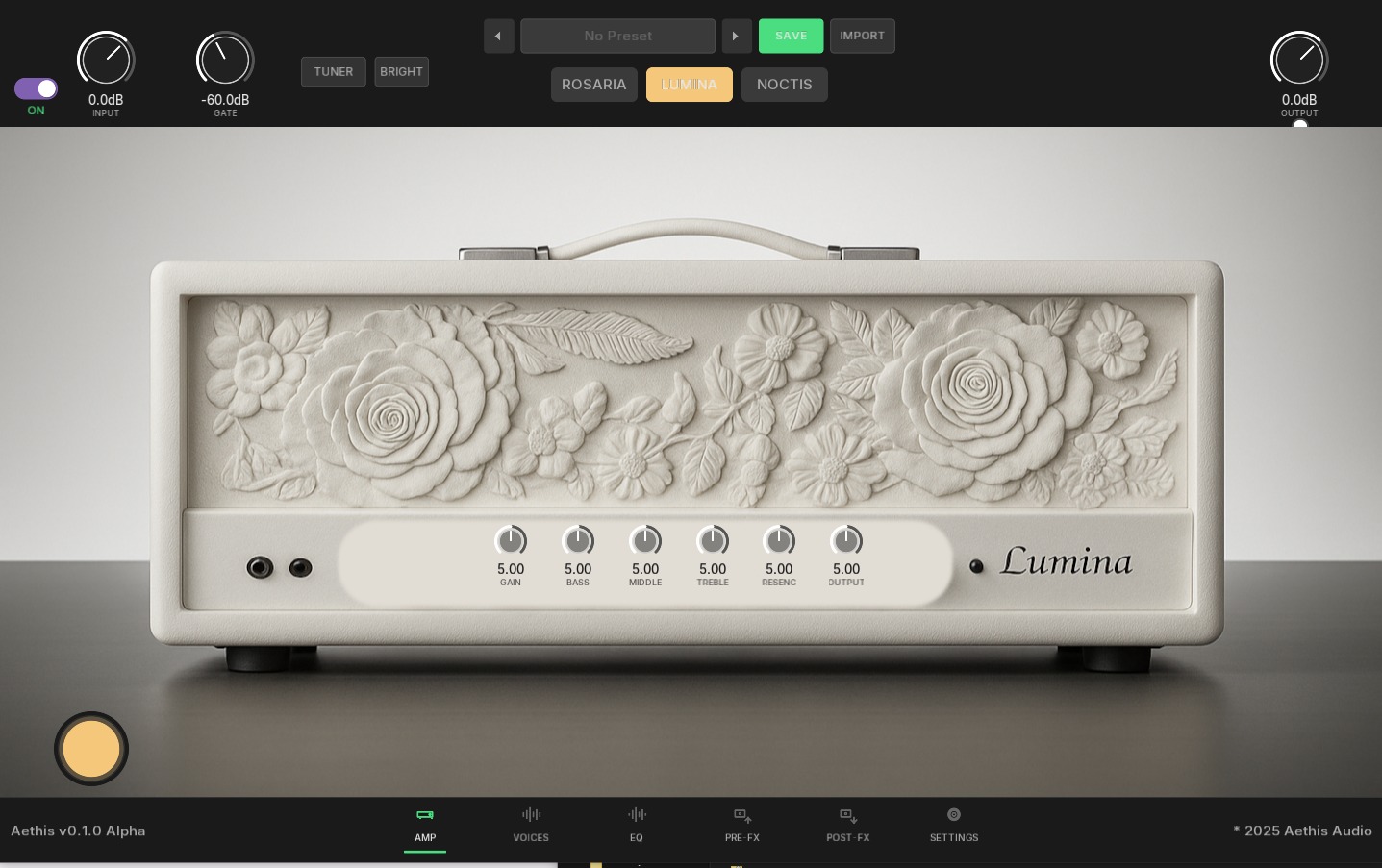
A pristine, crystal-clear amplifier with exceptional headroom. Lumina delivers bell-like cleans and chimey tones that stay clean even at higher volumes, perfect for styles where clarity is paramount.
Character: Crystal cleans, bell-like highs, maximum headroom
Best for: Jazz, funk, ambient, fingerstyle, clean tones, pedal platform
Noctis
Section titled “Noctis”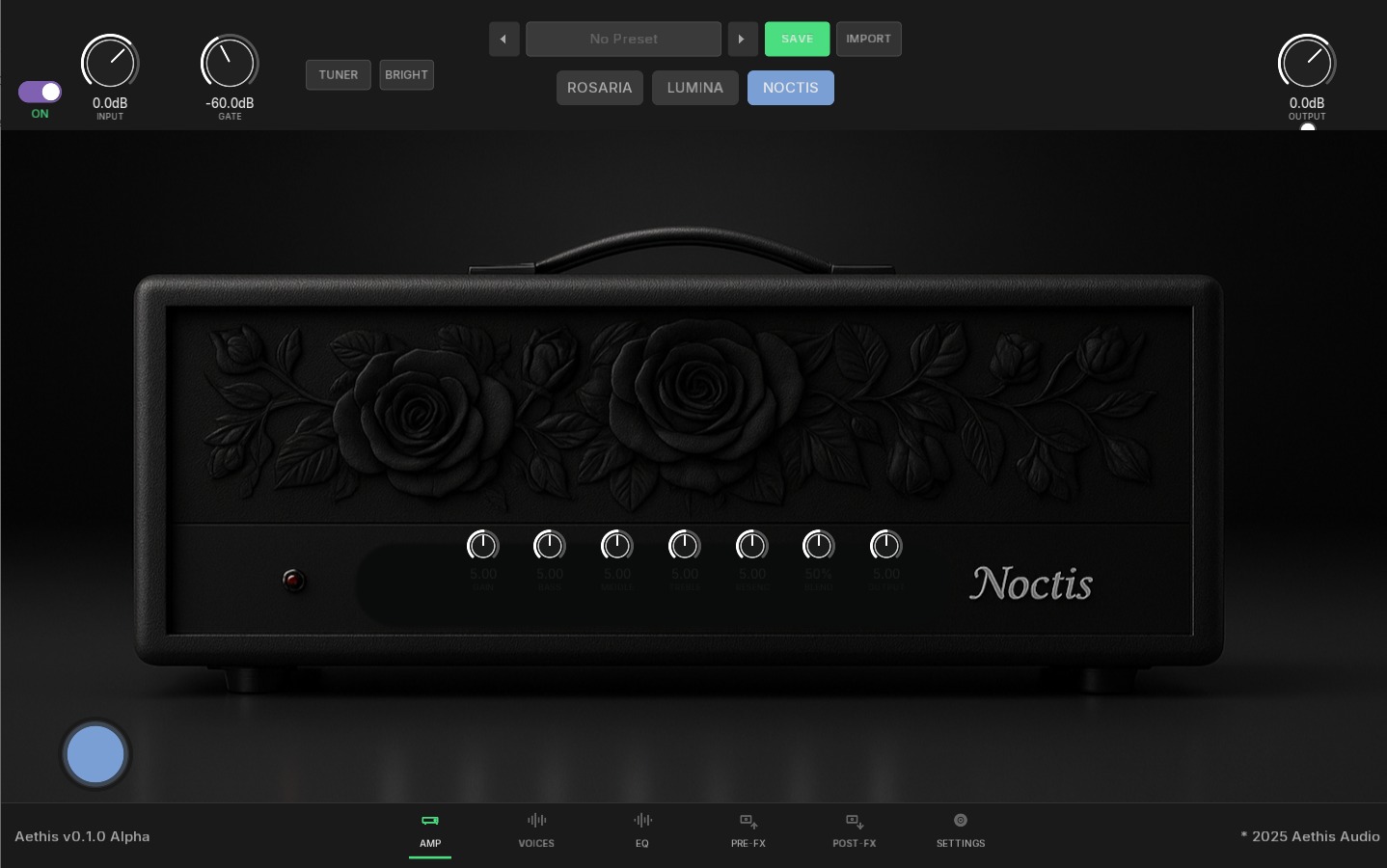
A dark, powerful high-gain amplifier built for modern metal and aggressive tones. Noctis delivers tight low-end, scooped mids, and aggressive saturation that cuts through any mix.
Character: Tight bass, scooped mids, aggressive high-gain
Best for: Metal, djent, hardcore, modern rock, heavy rhythm
Amp Controls
Section titled “Amp Controls”Every amplifier includes a complete set of tone-shaping controls:
| Control | Range | Description |
|---|---|---|
| Gain | 0-10 | Input drive and saturation amount |
| Bass | 0-10 | Low frequency content |
| Middle | 0-10 | Mid-range frequencies (biggest impact on tone) |
| Treble | 0-10 | High frequency content |
| Resonance | 0-10 | Low-frequency presence and tightness |
| Output | 0-10 | Master volume level |
Each amp saves its control settings independently, so you can set up three completely different tones and switch between them instantly.
Pre-FX Pedals
Section titled “Pre-FX Pedals”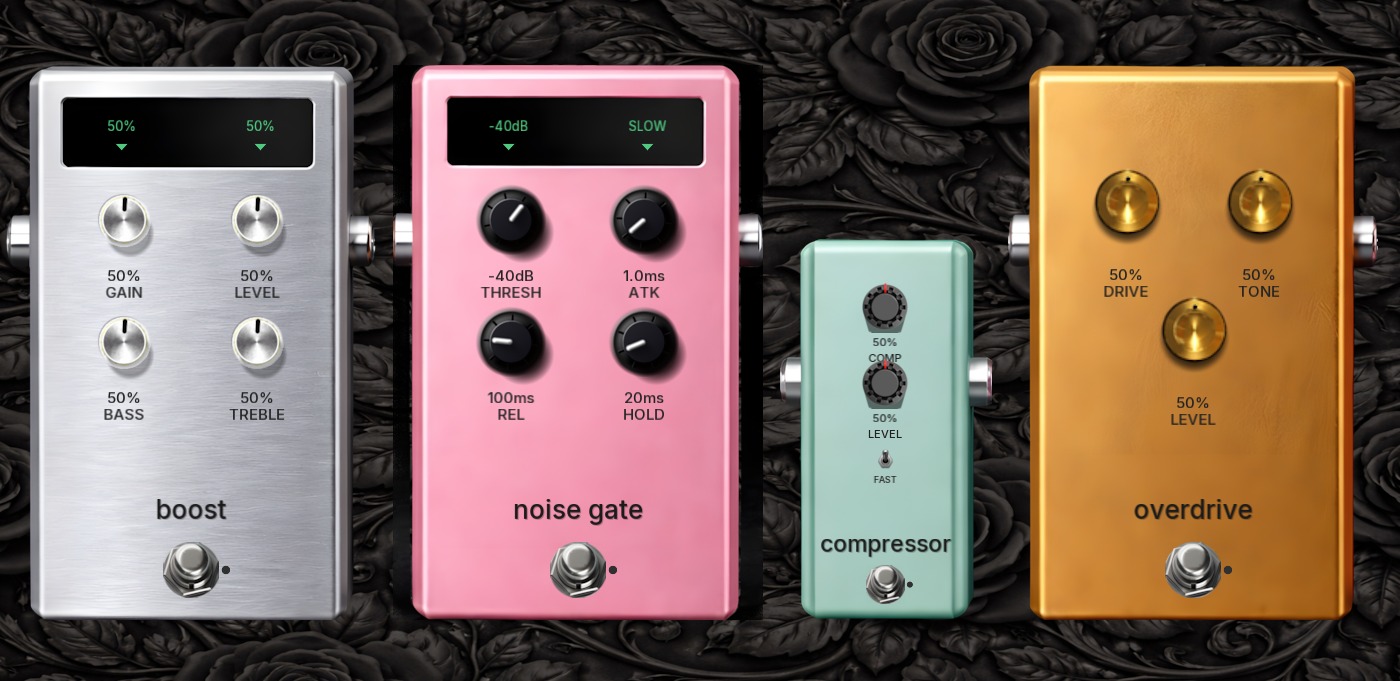
Effects that go before the amplifier in the signal chain:
A clean boost and EQ pedal for pushing the amp harder or shaping your input tone.
| Control | Range | Description |
|---|---|---|
| Gain | 0-100% | Boost amount |
| Level | 0-100% | Output volume |
| Bass | 0-100% | Low frequency adjustment |
| Treble | 0-100% | High frequency adjustment |
Noise Gate
Section titled “Noise Gate”Precision gate to eliminate unwanted hum and buzz during silent passages.
| Control | Range | Description |
|---|---|---|
| Threshold | -80 to 0 dB | Level below which the gate closes |
| Attack | 0.1-100 ms | How quickly the gate opens |
| Release | 10-1000 ms | How slowly the gate closes |
| Hold | 0-500 ms | Minimum time gate stays open |
Compressor
Section titled “Compressor”Smooth dynamics control for consistent levels and sustain.
| Control | Range | Description |
|---|---|---|
| Comp | 0-100% | Compression amount |
| Level | 0-100% | Output volume |
| Fast | On/Off | Fast attack mode for percussive playing |
Overdrive
Section titled “Overdrive”Tube-style overdrive for adding grit and saturation before the amp.
| Control | Range | Description |
|---|---|---|
| Drive | 0-100% | Distortion intensity |
| Tone | 0-100% | Brightness (dark to bright) |
| Level | 0-100% | Output volume |
Post-FX Pedals
Section titled “Post-FX Pedals”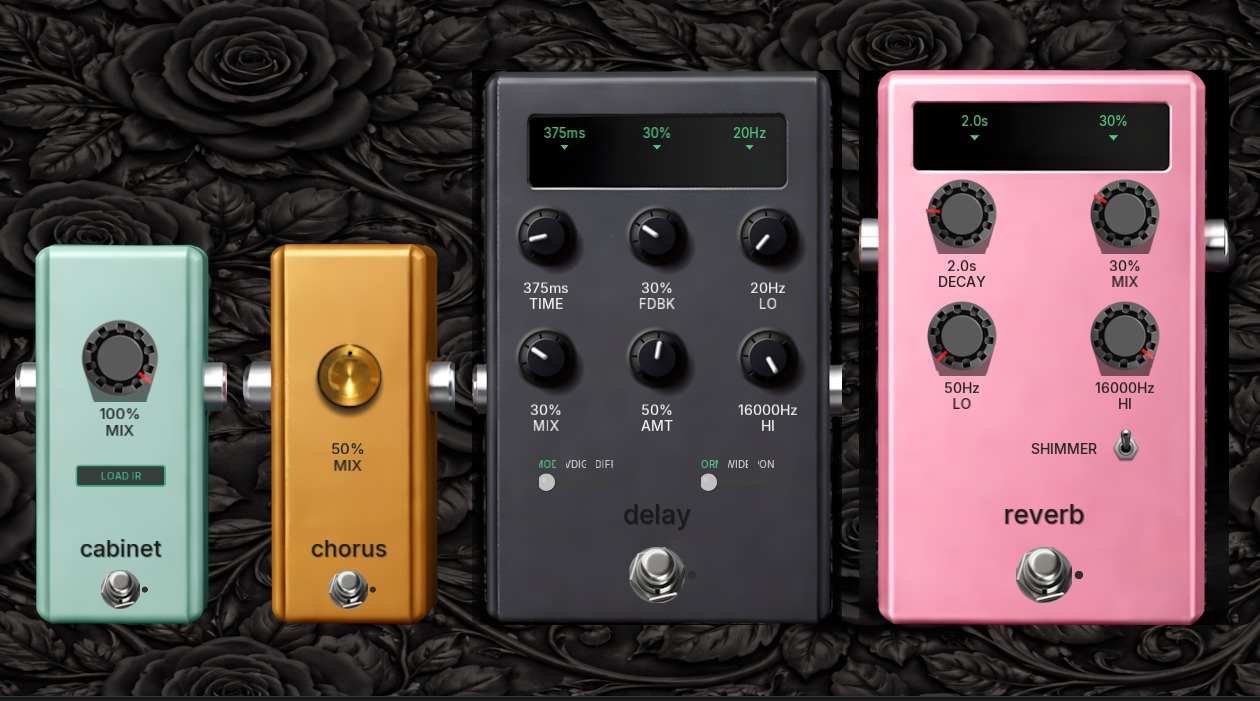
Effects that go after the amplifier in the signal chain:
Cabinet
Section titled “Cabinet”Speaker cabinet simulation for realistic amp-in-the-room tone.
| Control | Range | Description |
|---|---|---|
| Mix | 0-100% | Cabinet blend amount |
| Load IR | Button | Load custom impulse response |
Chorus
Section titled “Chorus”Stereo modulation effect for lush, animated tones.
| Control | Range | Description |
|---|---|---|
| Mix | 0-100% | Effect blend |
Versatile delay with multiple modes for rhythmic echoes and ambient textures.
| Control | Range | Description |
|---|---|---|
| Time | 1-2000 ms | Delay time |
| Feedback | 0-100% | Number of repeats |
| Mix | 0-100% | Effect blend |
| Lo | 20-2000 Hz | Low-cut filter on repeats |
| Hi | 2000-20000 Hz | High-cut filter on repeats |
| Mode | MOD/VDIG/DIFF | Delay character (modulated/vintage digital/diffused) |
| Width | DRY/WIDE/MON | Stereo mode |
Reverb
Section titled “Reverb”Lush spatial effects with shimmer option.
| Control | Range | Description |
|---|---|---|
| Decay | 0.1-10s | Reverb tail length |
| Mix | 0-100% | Effect blend |
| Lo | 50-2000 Hz | Low-frequency damping |
| Hi | 2000-16000 Hz | High-frequency damping |
| Shimmer | On/Off | Adds octave-shifted reflections |
Signal Flow
Section titled “Signal Flow”Your guitar signal flows through the effects in this order:
- Input → Global input gain
- Pre-FX → Boost, Noise Gate, Compressor, Overdrive
- EQ → 9-band graphic equalizer (Pre mode)
- Amp → Selected amplifier model
- EQ → 9-band graphic equalizer (Post mode)
- Post-FX → Cabinet, Chorus, Delay, Reverb
- Voices → Harmonizer/pitch shifter
- Output → Global output gain
Each effect can be bypassed independently by clicking its footswitch.
Matching amp to style: Use Rosaria for blues and classic rock where you want touch-sensitive dynamics. Use Lumina for clean tones and as a pedal platform. Use Noctis for metal and high-gain applications.
Gain staging: Start with the amp’s gain control, then add the overdrive pedal for more saturation. This gives you more tonal options than just cranking the amp gain.
Using the noise gate: Essential for high-gain settings. Set the threshold just above your noise floor, use fast attack for tight playing, and slower release for sustained notes.
Cabinet simulation: Leave this on for recording direct. Only bypass if you’re using external cabinet simulation or a real amp/cab setup.